The single most common "camera fault" we hear about is a camera that stops recording partway through. Almost always, the camera is fine and the memory card is too slow. Card labelling is genuinely confusing, so here is what the symbols actually mean.
The only number that matters for video
Look for the V rating — a V in a box followed by a number. It guarantees a *minimum sustained* write speed in megabytes per second, which is exactly what video needs.
| Rating | Guaranteed write | Good for |
|---|---|---|
| V10 | 10MB/s | Full HD video |
| V30 | 30MB/s | 4K video — the practical minimum |
| V60 | 60MB/s | High frame rate 4K, 6K, 10-bit |
| V90 | 90MB/s | 8K, high bitrate, burst raw stills |
Ignore the large "up to 170MB/s" printed on the front. That is peak read speed under ideal conditions — it tells you how fast you can copy files to a computer, not whether the card can keep up while recording.
UHS-I vs UHS-II
UHS-II cards have a second row of gold contacts and are considerably faster — but only in a camera built for them. Put a UHS-II card in a UHS-I camera and it works perfectly at UHS-I speeds, meaning you paid extra for nothing. Check your manual before spending.
What to buy for each camera type
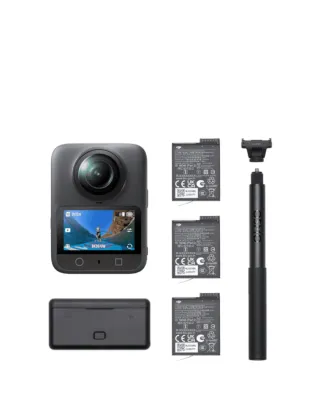
- Action cameras and 360 cameras — microSD, V30 minimum, and V60 or better for the highest resolution modes. High-endurance cards are worth it if the camera runs for long periods.
- Mirrorless and DSLR — full-size SD, V30 for general use, V60 or V90 if you shoot burst raw or high-bitrate video.
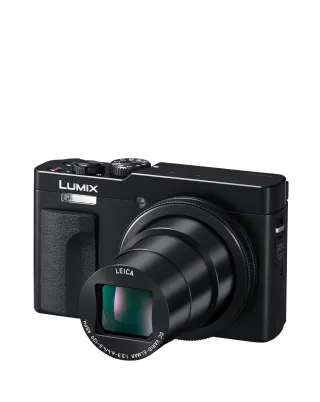
- Compacts and instant hybrids — almost any modern branded card is sufficient.
Practical habits worth adopting
- Format in the camera, not on a computer. It creates exactly the file structure the camera expects.
- Buy two medium cards rather than one large one. A card failure then costs you half a trip, not all of it.
- Replace cards every few years. Flash memory wears out, and a card that has been formatted hundreds of times owes you nothing.
- Buy from reputable sellers. Counterfeit cards that report a false capacity are common and fail silently.
Storage, briefly
4K footage consumes roughly a gigabyte every couple of minutes depending on bitrate. A 128GB card is a sensible default for a day of shooting; if your camera has internal storage — like the Osmo Action 5 Pro with 47GB built in — treat it as a backup for the day you forget the card entirely.