360 Cameras review

DJI Osmo 360 review: a 1-inch-class 360 camera that takes on GoPro

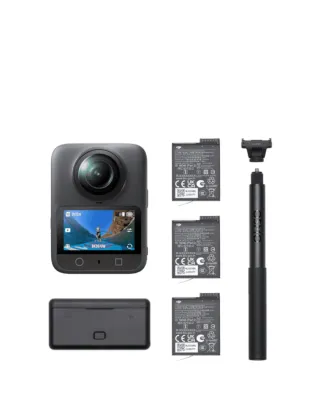
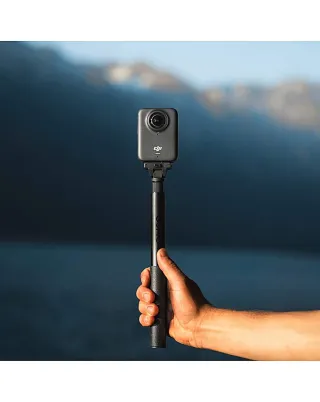
DJI’s first 360 camera arrives with native 8K 360 video, a square sensor feeding two 1-inch 360 image fields, 13.5 stops of dynamic range and 10-bit on every mode. Here is how it stacks up against the GoPro Max 2.

For years GoPro and Insta360 had the 360 camera market to themselves. The DJI Osmo 360 is DJI’s first entry, and rather than chase features it attacks the format’s oldest weakness: image quality once the light fades.

The sensor is the story

A 360 camera spreads its resolution around an entire sphere, then you crop a normal video out of it. That makes every pixel matter, and it is why 360 footage traditionally looks soft and noisy indoors. DJI’s answer is a square sensor design that delivers two 1-inch 360 image fields, with large 2.4μm pixels and an f/1.9 aperture. More light per pixel means cleaner footage at dusk, in city streets at night and indoors. There is also a SuperNight mode for genuinely dark scenes.

8K, and 10-bit everywhere

Native 8K/30 is the baseline, with 8K/50 available and a 4K/100 mode for up to four-times slow motion. Every mode records 10-bit colour, and D-Log M is there for anyone who grades. DJI quotes 13.5 stops of dynamic range, which is what keeps a sunset sky and the person in front of it both correctly exposed.

What 360 still asks of you

None of this removes the fundamental trade of the format: you shoot everything and decide the framing later, which takes time in the edit. 8K files also need a fast, high-endurance card and a computer that can handle them. If you want footage ready to post straight off the camera, a conventional action camera like the Osmo Action 6 is the easier tool.

Water, carefully

DJI’s own guidance is explicit: make sure the battery and USB-C covers are sealed, and do not use the bare camera for long periods underwater. Treat the dive case as essential for swimming and snorkelling.

Osmo 360 vs GoPro Max 2

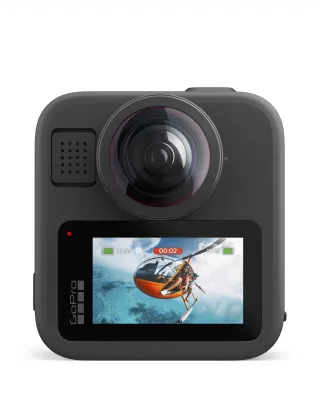
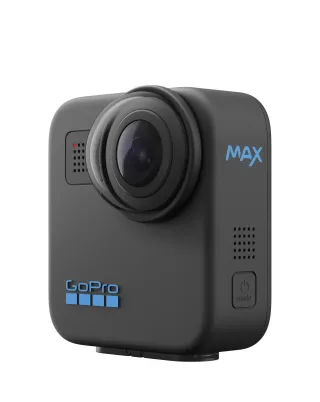
The GoPro Max 2 also shoots 8K 360 and has one feature DJI cannot match: replaceable lenses, which turn the most fragile part of a 360 camera into a consumable. The Osmo 360 answers with its sensor, aperture and 10-bit colour. Buy the DJI if low light is your priority; buy the GoPro if you are hard on equipment. Both are compared in our action camera guide.
What we like

  • Native 8K/30 360 video, with 8K/50 available
  • Large-pixel square sensor and f/1.9 aperture — built for low light
  • 10-bit colour on every mode, plus D-Log M for grading
  • 4K/100 360 capture for up to four-times slow motion

What to watch

  • DJI advises against long underwater use without its dive case
  • Reframing 360 footage still takes time in the edit
  • Large files demand a fast card and a capable computer
  • Newer than the GoPro Max 2, so accessory support is still catching up

The verdict

The most serious challenge yet to GoPro in 360 cameras. The sensor design is the headline: large pixels and a fast aperture aimed squarely at the low-light weakness every 360 camera has. If you shoot at dusk, indoors or after dark, this is the one to look at first.

Where to buy

Live prices from the retailers we track, updated daily. We may earn a commission if you buy through these links — it never changes what you pay.

Frequently asked questions

Does the DJI Osmo 360 shoot 8K?

Yes. It records native 8K at 30fps in 360, and supports 8K at 50fps. There is also a 4K/100fps 360 mode for slow motion.

Osmo 360 or GoPro Max 2?

Both shoot 8K 360. The Osmo 360 leans on its larger-pixel sensor and f/1.9 aperture for better low light and offers 10-bit everywhere; the GoPro Max 2 has replaceable lenses and the larger accessory ecosystem. Choose DJI for image quality in poor light, GoPro for durability and mounting options.

Is the Osmo 360 waterproof?

It can be used around water, but DJI itself recommends against long-term underwater shooting with the camera body alone. For swimming and snorkelling sessions, use the official dive case.

What is D-Log M?

A flat colour profile that keeps more detail in highlights and shadows, for colour grading afterwards. It only makes sense if you edit your footage; otherwise the standard colour mode looks better straight out of the camera.

More reviews